Which Smart Home Hub Fits Your Noblesville Shades
We get called out to plenty of Noblesville homes where a smart shade is not doing what it is supposed to, and in nearly every case the fix has nothing to do with the shade itself. It is worth knowing what actually tends to go wrong before it happens to yours.
How Motorized Shades Actually Work
Before ordering, ask exactly how the motor is powered. Most are either a rechargeable battery pack or hardwired to line voltage, and a few budget kits still use disposable batteries. That answer changes the install entirely, including whether an electrician needs to be involved, and it's not always obvious from a product photo or a showroom display.
Ask what's needed to get app and voice control, specifically, not just "is it smart." Some motors need a proprietary hub sold separately. Others build networking into the motor itself, no separate hub required, though that's still the less common setup as of 2008.
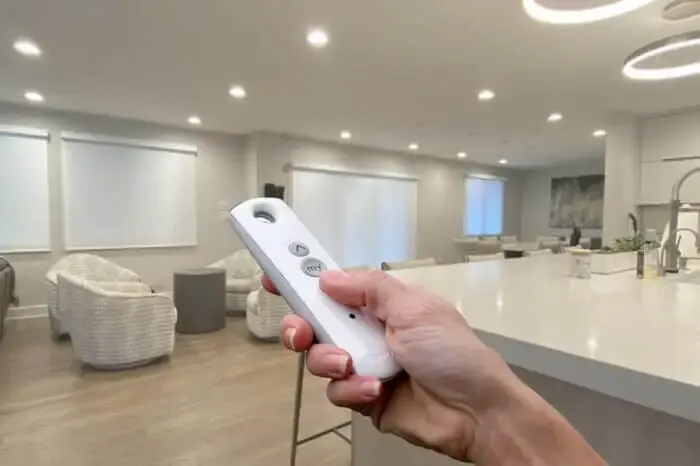
And ask what happens with just the remote, no hub, no app, since that's the fallback you'll be living with the moment your Wi-Fi has a bad day or the hub needs a reset. A Noblesville installer who's actually set up more than a handful of these systems, not just sold them, should be able to answer all of that without checking a spec sheet.
What Actually Fails in a Smart Shade System
The motor itself is rarely the problem. Almost every service call we get about a "broken" smart shade traces back to the network layer instead of the shade, most often the hub losing its connection or a battery quietly running down. A Wi-Fi password that changed without the hub being updated causes the same kind of call.
A hub sitting too far from the router can drop in and out intermittently, which is confusing because the shade worked fine on install day. Distance and thick walls between the hub and the router weaken a wireless signal over time, and multiple floors make it worse still.
Power outages are another common one. When power comes back on, a Wi-Fi-connected hub in a Noblesville home has to reconnect to the network on its own, and if the router reset to different settings during the outage, the hub can need to be paired again from scratch.
Battery Life and Charging in the Real World
Battery motors cost less upfront than hardwired ones, based on national pricing patterns, mainly because there's no electrical labor involved. But that battery is a recurring task, not a one-time cost, and it's worth weighing against a hardwired setup if a shade is going to get used many times a day.
Solar-charging panels are a common add-on that can stretch the interval between manual charges significantly. They only work well on a window getting real direct sun, though, so a north-facing Noblesville window or one heavily shaded by trees won't see much benefit from one.
If a shade is going in somewhere hard to reach, a stairwell or a high transom where a ladder is genuinely a hassle, we usually steer people toward hardwired or at least a solar add-on, since climbing up to recharge a battery every few months gets old fast.
Power Planning and Backup Control
The mistake we see most in existing homes: someone commits to hardwired shades without checking whether power is realistically available near that window, then finds out during the measure that it means opening a wall they didn't plan on opening. Confirming a power path before ordering avoids that entirely.
Another common gap: no backup remote anywhere in the house. Everything runs through the app for months, then the router has an issue and nobody can find a way to move a single shade until it's back online. A basic remote that talks straight to the motor solves this and costs very little to add.
We've also seen scenes built around a hub that then becomes a single point of failure. If the hub goes down, the scene stops working, even though every individual shade in that Noblesville home might still respond fine to its own direct remote.
The best way to figure out what a smart shade setup would actually look like in your home is to walk through it with someone who installs them regularly. A free in-home measure is a good time to talk through hub placement and power options before anything gets ordered.
Voice Control and the Hub Question
For a whole-home smart shade setup, decide on a lead ecosystem before you order anything. That choice quietly shapes which hub and which shade brands play nicely together, and retrofitting a different voice platform later is rarely as clean as planning for it up front. A few things tend to matter most in that decision:
- Alexa-based households usually have the widest range of compatible hubs to choose from.
- Google Home households should confirm the specific integration exists, not just that the hub connects to Wi-Fi.
- Apple Home households often need a hub built for that ecosystem, or a bridge, in the chain before a shade shows up as an accessory.
If your household already leans one direction, say everyone already has Apple phones and an existing Home setup, that's usually the deciding factor, more than any feature difference between the shade brands themselves.
Frequently Asked Questions
Can I mix shade brands on one app?
Sometimes, but do not assume it. Different manufacturers often use different hubs and different radio protocols, so a shade from one brand may not show up in another brand's app without an additional bridge, if that is even available. Checking compatibility before adding a second brand to an existing system saves a headache later.
What actually causes a smart shade to stop responding?
More often than not, it is the network, not the shade. A hub that lost its Wi-Fi connection or a battery that quietly ran down are the most common causes we see, along with a router password that changed without the hub being updated. Actual motor failure is much less common and usually only shows up after years of heavy use.
Is Matter going to make all of this simpler?
Eventually, for some systems. Matter is a newer standard meant to let smart devices work across ecosystems without as much brand-specific bridging, and some newer shade hubs are starting to support it. Plenty of shades already installed do not support it yet and still rely on their original manufacturer hub, so it is not a universal fix as of 2008.
 Blackout vs Room Darkening: What Actually Blocks More Light
 Inside Mount vs Outside Mount, Explained by Someone Who Installs Both
 How Custom Drapery Gets Measured and Made Right in Noblesville